
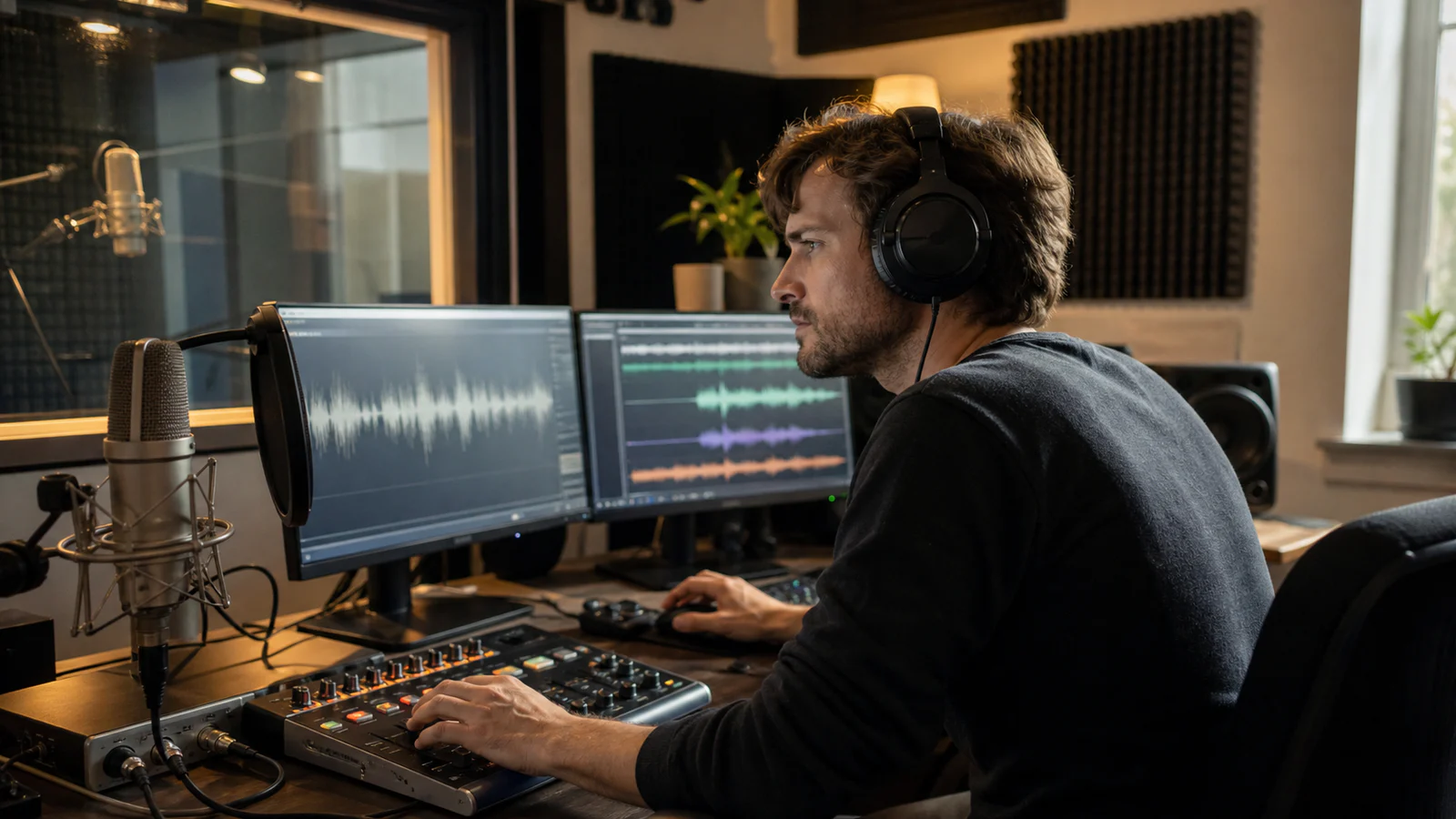
Improving GPT transcription accuracy is not a matter of finding one magic prompt. The transcript is the output of a system: the room, microphone, codec, model, context hints, chunk boundaries, and review policy all affect the result. A strong model cannot reconstruct a consonant that the microphone never captured, while aggressive cleanup can erase the very speech cues the model needs.
The practical goal is therefore not “make the audio sound polished.” It is “preserve evidence, supply relevant context, expose uncertainty, and verify the words that matter.” This guide shows how to do that with OpenAI's current gpt-transcribe and GPT-4o transcription models through /v1/audio/transcriptions.
Whether you need to transcribe audio from an interview or build speech to text into a production workflow, the same accuracy controls apply. At the API level, the OpenAI v1 audio transcriptions route is the file-oriented endpoint discussed throughout this guide.
Key takeaways
- Start with
gpt-transcribefor ordinary recorded speech, then choose a specialized model only when you need speaker labels, token logprobs, word timestamps, subtitles, or English translation. - Fix microphone distance, clipping, cross-talk, and room noise before trying software cleanup.
- Use
promptfor recording context,keywordsfor literal terms, andlanguagesfor expected languages. Treat every hint as a hypothesis to test. - Split long recordings at speech boundaries, preserve a little context around each cut, and deduplicate overlap when stitching.
- Use VAD to find likely speech boundaries, not to decide whether a sentence is correct.
- Logprobs can prioritize review, but they are not calibrated truth scores and are not available on every transcription model.
- Keep the raw transcript and audio. Apply post-processing as a separate, auditable layer.
Transcription accuracy is a pipeline property
Automatic speech recognition errors usually fall into three familiar groups: substitutions, deletions, and insertions. Word error rate, or WER, counts those errors relative to the reference word count. Lower WER is better. OpenAI reported lower WER for its GPT-4o transcription models than for earlier Whisper models across multilingual benchmarks, including FLEURS, in its audio model announcement.
WER is useful, but it is not a complete business metric. Replacing “fifteen” with “fifty” may be one substitution yet invalidate an order. Misspelling a guest's surname can be more damaging than dropping three filler words. A production evaluation should therefore track at least three layers:
| Layer | What to measure | Why it matters |
|---|---|---|
| Surface accuracy | WER or character error rate | Makes model and pipeline comparisons repeatable |
| Critical-term accuracy | Names, numbers, SKUs, medical or legal terms | Captures errors with disproportionate impact |
| Workflow accuracy | Correct speaker, time range, language, and downstream action | Tests whether the transcript is usable |
Before optimizing anything, create a representative evaluation set. Include quiet speech, the noisiest normal environment, accents, fast speakers, code-switching, overlapping voices, product terminology, and at least a few recordings with long pauses. Have a human produce reference transcripts under a written style policy. Decide whether fillers, false starts, punctuation, and normalized numbers count before calculating an error rate.
Without that fixed set, it is easy to “improve” one impressive clip while making the normal workload worse.
Choose the model for the accuracy feature you actually need
OpenAI's current speech-to-text guide recommends gpt-transcribe for completed recordings in their original language. It accepts context, keyword, and multiple-language hints. The older GPT-4o models remain relevant because some specialized output controls are model-specific.
| Model | Choose it when | Accuracy controls and tradeoffs |
|---|---|---|
gpt-transcribe | You need high-accuracy general file transcription | Supports prompt, keywords, languages, and streamed file output; current recommended starting point |
gpt-4o-transcribe | An existing integration needs token logprobs | Supports prompting and include[]=logprobs; JSON output |
gpt-4o-mini-transcribe | Cost or throughput matters and your evaluation shows acceptable accuracy | Supports prompting and logprobs; benchmark it on your own audio |
gpt-4o-transcribe-diarize | A meeting or interview needs speaker labels | Returns speaker segments; does not support prompts or logprobs |
whisper-1 | You require word timestamps, subtitle formats, or audio-to-English translation | Useful specialist fallback; prompts are more limited |
This is not a permanent ranking. Model capabilities change, and a cheaper model can be the better production choice if it clears the required error threshold. Record the model ID, request settings, SDK version, and evaluation date with every benchmark.
If you want to compare representative files before building an SDK integration, a browser-based GPT transcription workflow can be a convenient way to inspect transcripts and identify the terms that deserve a formal test set. Do not treat a single clean demo as a benchmark.
Improve the recording before touching the transcript
The highest-leverage audio preprocessing happens in the room.
Put the microphone closer to the useful signal
Distance changes the ratio between the speaker and everything else. A close, correctly aimed microphone generally captures more direct speech and less room reflection than a laptop microphone across a table. For two speakers, two close microphones or isolated channels are easier to transcribe and review than one distant microphone in the middle.
Use a pop filter where plosives are a problem. Keep the microphone and speaker positions stable. Prevent the table, keyboard, or cable from transmitting bumps into the mic. In a call center, capture the agent and customer on separate channels when the telephony system allows it.
Leave headroom and prevent clipping
Clipping replaces the shape of the waveform with distortion; no later normalization can recover the lost peaks. Set gain from the loudest realistic speech, not an average sentence. A clean recording with moderate headroom is safer than a “hot” signal that clips whenever someone laughs or emphasizes a word.
Also avoid automatic gain behavior that pumps room noise upward during pauses. If automatic control is unavoidable, include its behavior in the evaluation set.
Preserve a clean source
Keep an untouched source file before noise reduction, resampling, or lossy encoding. Repeated conversion between compressed formats can add artifacts. Converting a poor low-rate recording into a large WAV file does not create missing information; it only creates a larger container.
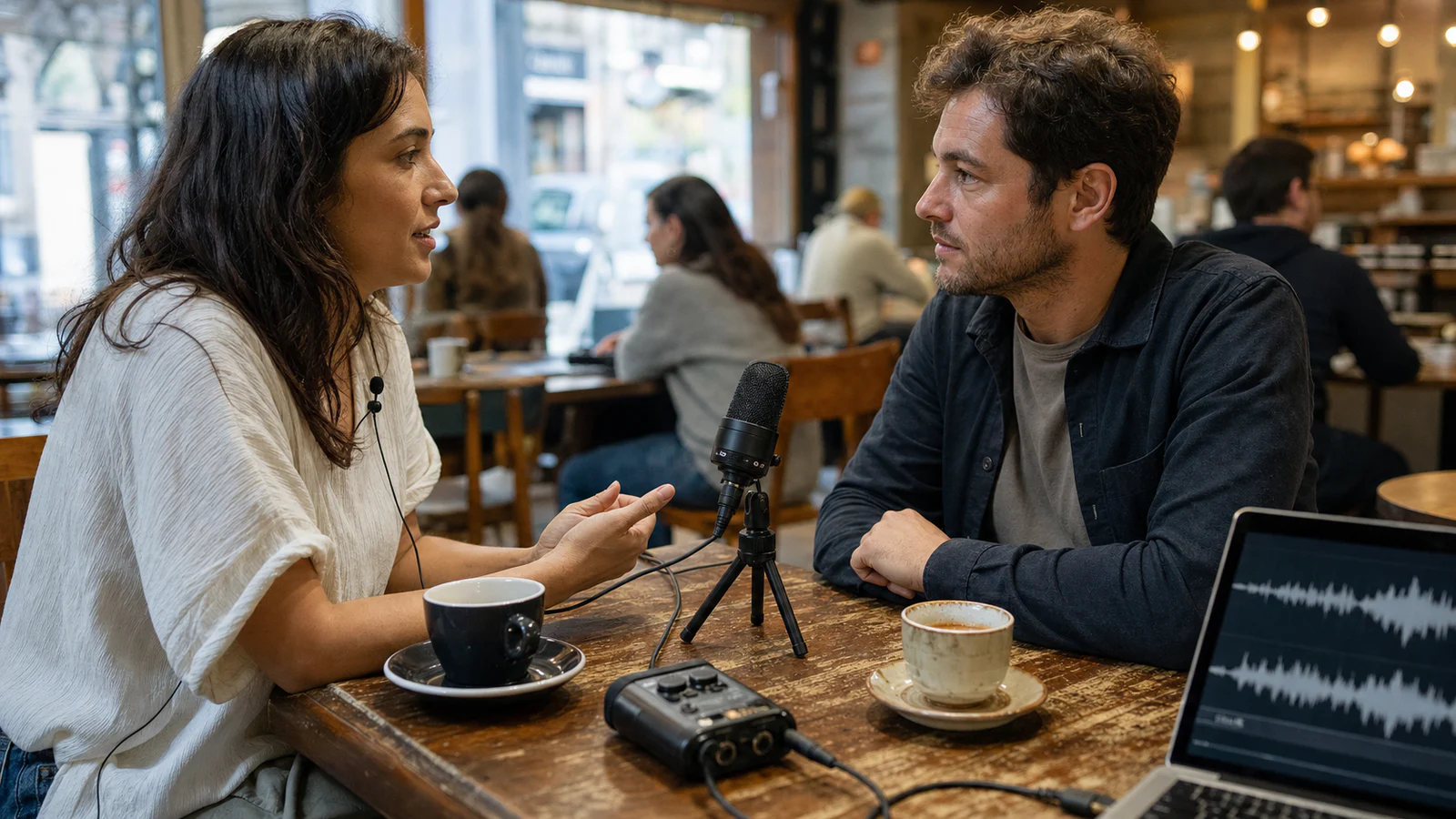
The cafe setup above illustrates the useful principle: capture speech close to each person and treat the room as a known constraint. Software should refine that evidence, not invent it.
Audio preprocessing: make conservative, testable changes
Preprocessing should be an A/B-tested transformation. Run both the raw and processed version through the same transcription request, then compare them against the same reference. Keep a step only when it improves the representative set.
Normalize inconsistent loudness
Normalization can make very quiet sections easier to handle consistently and prevent chunk-to-chunk level changes from confusing downstream logic. It is different from rescuing clipped audio. For controlled offline processing, FFmpeg documents filters such as loudnorm, highpass, silencedetect, and silenceremove.
Do not copy a loudness target from a music-mastering guide and assume it is optimal for speech recognition. Measure peaks and noise, normalize predictably, and test the result.
Remove only noise you can identify
A high-pass filter can reduce low-frequency handling noise or HVAC rumble. A notch can target a stable electrical hum. Gentle denoising can help when the noise profile is consistent.
Heavy denoising is riskier. It can smear fricatives, soften consonant attacks, and create watery artifacts. Those changes may make the track feel less noisy while increasing deletions and substitutions. Compare critical words such as “six,” “fix,” “fifteen,” and product names before and after processing.
Treat silence as data
Long non-speech regions can trigger undesirable behavior in speech-recognition systems. Research on Whisper has found hallucinations associated with non-speech audio and longer non-vocal intervals, including the studies Investigation of Whisper ASR Hallucinations Induced by Non-Speech Audio and Careless Whisper: Speech-to-Text Hallucination Harms.
That does not mean “delete every pause.” Pauses carry turn-taking and sentence-boundary information. Remove obviously irrelevant leading and trailing material, flag suspicious transcript text produced over silence, and retain enough pause around speech to avoid cutting initial or final phonemes.
Avoid a one-size-fits-all preprocessing chain
A podcast recorded in a treated room, a telephone call, and a field interview have different failure modes. Route by observable conditions:
- clean close-mic audio may need no preprocessing;
- low rumble may justify a gentle high-pass filter;
- large level variation may justify normalization;
- stereo calls may benefit from channel separation;
- music under speech may require a different source mix, not stronger denoising.
The safest default is the least processing that produces a measured improvement.
Prompting gpt-transcribe without biasing the transcript
The current gpt-transcribe model supports three complementary context controls:
prompt: unstructured information about the recording;keywords: literal terms expected in the audio;languages: expected input languages.
These are described in the official gpt-transcribe model page and speech-to-text guide. Use each control for its intended job.
import fs from 'fs';
import OpenAI from 'openai';

const openai = new OpenAI();

const request = {
  file: fs.createReadStream('customer-call.wav'),
  model: 'gpt-transcribe',
  prompt:
    'A support call about workspace provisioning. Preserve false starts and spoken numbers.',
};

const transcript = await openai.audio.transcriptions.create(request, {
  body: {
    ...request,
    keywords: ['ZheLogic', 'SAML', 'SCIM', 'workspace AC-42'],
    languages: ['en', 'fr'],
  },
});

console.log(transcript.text);
Write prompts as context, not as a rewrite request
A useful prompt describes the setting and desired transcript convention:
A technical support call about identity provisioning. Speakers use the terms SAML, SCIM, IdP, and workspace AC-42. Preserve false starts, filler words, and spoken numbers.
A risky prompt asks the transcription model to perform a second task:
Clean this up, fix mistakes, summarize the issue, and make the customer sound professional.
The second prompt makes it harder to distinguish recognition from editing. Transcribe first. Summarize or rewrite in a separate, logged step.
Keep the keyword list short and evidence-based
Keywords are hints, not a required vocabulary. Add names, acronyms, identifiers, and domain terms that genuinely may be spoken. Do not paste an entire product catalog into every request. Excess hints can bias the model toward words that were never said.
Test keyword lists with both positive and negative examples:
- clips where the term is spoken;
- clips containing a similar-sounding alternative;
- clips where none of the keywords appear;
- quiet or non-speech clips.
The list passes only if it improves expected terms without increasing insertions elsewhere.
Supply language hints for multilingual and code-switched audio
gpt-transcribe accepts multiple expected language codes through languages. This is useful when a call moves between English and French or when a speaker inserts Mandarin names into an English sentence. Current documentation accepts ISO 639-1 codes, selected ISO 639-3 codes, and certain regional Chinese locale codes.
Do not send both the plural languages field and the older singular language field with gpt-transcribe. Log detected languages from the response, but treat an empty language list as uncertainty rather than failure.
Chunk long audio at acoustic and semantic boundaries
The Transcriptions API currently accepts files up to 25 MB. Larger recordings must be compressed or divided. OpenAI explicitly advises against splitting in the middle of a sentence because the cut can remove context and reduce accuracy.
A production chunker should follow this sequence:
- Detect candidate speech and silence regions.
- Prefer a pause near the desired maximum chunk size.
- Retain a small amount of audio around the boundary.
- Carry concise context from the previous accepted segment.
- Transcribe chunks independently enough that one failure can be retried.
- Remove duplicated overlap when stitching.
Avoid fixed ten-minute cuts when a usable pause is a few seconds away. Also avoid hundreds of tiny chunks. Short fragments provide too little linguistic context and increase the number of boundaries that can lose syllables.
Carry context without copying the whole transcript
For a continued recording, the next prompt can contain stable terms and a short tail from the previous verified segment. Do not keep appending the entire transcript; stale mistakes can become self-reinforcing context.
For example:
Continued interview with Dr. Maya Chen about the Arclight sensor. Previous verified ending: “the second calibration run began after lunch.”
Label carried text as prior context. Keep it separate from the audio-derived output in storage.
Stitch overlap defensively
If adjacent chunks overlap, both may transcribe the same phrase with slightly different punctuation. Normalize case and punctuation for matching, find the strongest short overlap, and keep one copy. Never delete a phrase solely because it looks similar; repeated speech is common in real conversations.
Store chunk IDs, source time ranges, hashes, model settings, and retry counts. That provenance makes a bad boundary repairable without retranscribing the entire recording.
Use VAD to choose boundaries, not to judge words
Voice activity detection estimates when speech begins and ends. It is valuable for chunking, turn detection, and excluding obvious non-speech. It does not know whether the model heard “thirteen” or “thirty.”
For the diarization model, OpenAI requires a chunking strategy for inputs longer than 30 seconds. Setting chunking_strategy to auto normalizes loudness and uses server-side VAD to select boundaries. The API also exposes a server_vad configuration with controls such as:
threshold: how much activation is needed to treat audio as speech;prefix_padding_ms: audio retained before detected speech;silence_duration_ms: silence required before ending a speech region.
The complete parameter behavior belongs in the current Audio Transcriptions API reference, because defaults and supported combinations can change.
Tune VAD against missed beginnings, clipped endings, and false speech triggers:
| Symptom | Likely adjustment to test | Risk |
|---|---|---|
| Initial consonants disappear | Increase prefix padding | More pre-speech noise |
| Short pauses split one sentence | Increase silence duration | Slower boundary finalization |
| Background noise creates speech chunks | Raise threshold or improve capture | Quiet speakers may be missed |
| Quiet speakers never activate | Lower threshold or move the microphone closer | More false triggers |
Microphone placement should be the first fix for quiet speech. Lowering the threshold until every background sound becomes “speech” only moves the problem downstream.
Use logprobs as a review signal
A token logprob is the natural logarithm of the model-assigned probability for that output token. Values closer to zero indicate higher model probability; more negative values indicate lower probability. Logprobs are useful for ranking uncertainty, but not as a universal confidence percentage.
The current Transcriptions API limits include[]=logprobs to gpt-4o-transcribe, gpt-4o-mini-transcribe, and a listed Mini snapshot, with response_format set to json. It is not supported by gpt-4o-transcribe-diarize, and the current file-transcription documentation does not list it for gpt-transcribe.
const transcript = await openai.audio.transcriptions.create({
  file: fs.createReadStream('interview.mp3'),
  model: 'gpt-4o-transcribe',
  response_format: 'json',
  include: ['logprobs'],
});

for (const token of transcript.logprobs ?? []) {
  if (token.logprob < -1.0) {
    console.log('Review candidate:', token.token, token.logprob);
  }
}
The threshold above is an illustration, not a production recommendation. Calibrate thresholds on your own labeled data. A model can be confidently wrong, while punctuation or an unusual but correct name may receive a low score.
For review routing:
- combine adjacent low-confidence tokens into readable spans;
- expand each span with nearby words;
- prioritize spans containing numbers, names, negations, or required fields;
- show the reviewer the corresponding audio;
- measure how many real errors the queue catches and how much correct text it unnecessarily flags.
If the recommended gpt-transcribe model is more accurate on your corpus but lacks file logprobs, do not automatically downgrade the whole workload. A better design may use gpt-transcribe for the final transcript and apply targeted verification rules to critical fields.
Post-process without laundering uncertainty
Text cleanup can improve punctuation, capitalization, and formatting. It can also silently change meaning. Keep these artifacts separately:
- immutable raw model output;
- cleaned transcript;
- machine-generated diff;
- human corrections;
- source audio and time mapping where available;
- model and request metadata.
Constrain a cleanup model to a narrow allowlist of edits. For example: correct known product spelling, add punctuation, and preserve every spoken number, negation, uncertainty marker, and repeated word. Reject a cleanup result if the diff contains a critical token that is not on the allowlist.
Do not use a fluent rewrite as proof that the audio was understood. A polished sentence can hide an invented noun more effectively than a rough transcript.
If the verified transcript will become narration, captions, or a localized podcast, hand off only the approved text to the relevant Voice Art podcast workflow. Keeping speech-to-text approval separate from later text-to-speech production prevents a recognition error from becoming confidently spoken output.
A production workflow for improving GPT transcription accuracy
Use this sequence when moving from a demo to a repeatable service.
1. Define the transcript contract
Specify whether the output is verbatim or edited, how numbers are represented, whether fillers are retained, and which terms require human verification.
2. Build a representative gold set
Select recordings across real devices, rooms, speakers, languages, and failure conditions. Produce reference transcripts under the same contract.
3. Establish the raw baseline
Run unprocessed files through gpt-transcribe with minimal context. Record WER, critical-term accuracy, latency, failure rate, and manual review time.
4. Fix capture problems
Improve microphone distance, gain, channel separation, and room setup. Re-record comparable samples when possible.
5. Test preprocessing one change at a time
Compare raw audio against normalization, filtering, denoising, or channel routing. Retain only measured improvements.
6. Add narrow context
Introduce a short recording prompt, a small keyword list, and expected languages. Test for both corrected terms and new insertions.
7. Tune chunking and VAD
Inspect boundary errors, missing phonemes, duplicate overlap, and false speech regions. Save provenance for every chunk.
8. Add uncertainty routing
Use logprobs where supported, plus domain validators for dates, account numbers, names, and required fields. Route suspicious spans to audio-backed review.
9. Separate transcription from cleanup
Store the raw transcript, then run constrained formatting or correction. Diff every transformation.
10. Monitor drift
Re-run the gold set after model, SDK, capture-device, codec, or preprocessing changes. Sample production recordings by environment, not only at random, so rare noisy conditions remain visible.
For a quick no-code intake or spot check, you can also transcribe a representative audio sample online before deciding which files and edge cases belong in the automated evaluation harness.
What not to do
- Do not judge accuracy from one clean English recording.
- Do not paste hundreds of unrelated keywords into every request.
- Do not remove all silence before evaluating sentence and turn boundaries.
- Do not denoise until the audio sounds synthetic.
- Do not split files only by clock time.
- Do not interpret a logprob as a guaranteed probability of correctness.
- Do not let a cleanup model overwrite the raw transcript.
- Do not discard source audio before high-impact fields are verified.
- Do not assume speaker diarization, timestamps, prompts, and logprobs are available on the same model.
FAQ
What is the best OpenAI model for transcribing recorded audio?
OpenAI's current documentation recommends gpt-transcribe for general file transcription in the original language. Choose a specialized model when you need speaker diarization, token logprobs, word timestamps, subtitle formats, or English translation.
Does gpt-transcribe use the /v1/audio/transcriptions endpoint?
Yes. Upload a completed audio file to /v1/audio/transcriptions and set the model to gpt-transcribe. The endpoint can return a completed transcript or stream partial transcript events while processing the file.
What audio formats can OpenAI transcribe?
The speech-to-text guide currently lists MP3, MP4, MPEG, MPGA, M4A, WAV, and WebM, with a 25 MB maximum file size. The API reference additionally lists formats such as FLAC and OGG, so check the current reference before building upload validation.
Can prompts force the correct spelling of a name?
Prompts and keywords can bias recognition toward relevant names and terms, but they cannot guarantee the output. Test similar-sounding alternatives and clips where the name is absent to make sure hints do not create insertions.
Should I remove background noise before transcription?
Only when a conservative transformation improves a representative evaluation set. Better microphone placement usually helps more than heavy denoising. Always preserve the raw audio and compare raw versus processed results.
How should I chunk a long recording?
Prefer pauses near a practical size limit, retain a small amount of boundary context, and avoid cuts inside sentences. Carry a short verified context tail and deduplicate overlap when stitching.
Can VAD improve transcription accuracy?
VAD can improve segmentation by identifying likely speech boundaries and excluding obvious non-speech. Poor settings can clip quiet speech or create false triggers, so tune threshold, padding, and silence duration against labeled examples.
Are logprobs available with gpt-transcribe?
The current Audio Transcriptions reference lists logprobs for the gpt-4o-transcribe and gpt-4o-mini-transcribe family, not for gpt-transcribe. Capabilities can change, so verify the current reference before designing a confidence pipeline.
Can GPT transcription hallucinate words during silence?
Speech-recognition models can produce insertions over ambiguous or non-speech audio. Treat text aligned with silence as suspicious, preserve the source recording, and require audio-backed review for high-impact content.
Accuracy comes from controlled evidence
The most reliable speech-to-text system is not the one with the longest prompt or strongest denoiser. It is the one that preserves the recording, measures a representative gold set, changes one variable at a time, and sends uncertain, high-impact spans back to a human with the audio attached.
Start with better capture and gpt-transcribe. Add context only for terms and languages supported by evidence. Let VAD choose candidate boundaries, let logprobs prioritize review where available, and never let polished post-processing erase the difference between what the model heard and what someone actually said.